Finally. Tabs
That Make Sense.
The always-on overlay that brings order to browser chaos, frees your RAM, and answers your questions — all without breaking your flow.
Start free • Works with Chrome • macOS & Windows
Sound Familiar?
You open your browser. 47 tabs. 6 windows. You know that article is somewhere...
You click. You scroll. You squint at favicon after favicon. 5 minutes gone. Still nothing.
Meanwhile, your browser is eating 12GB of your RAM like it's breakfast. Your fan sounds like a jet engine. Your laptop is hot enough to fry an egg.
And that tab you needed? Lost in the void.
You've tried:
- ❌"I'll just remember where it is" (you didn't)
- ❌Tab groups (still chaos, just colorful chaos)
- ❌Bookmarking everything (and never opening them)
- ❌OneTab (a graveyard of good intentions)
The truth? Your browser wasn't built for how you actually work.
You need something that SEES everything. At a glance. Always.
That's where Tabrows comes in.
Real Problems. Real Solutions.
The YouTube Tab Problem
Before Tabrows
"When I used to watch YouTube videos with great educational content and couldn't finish them, I would just keep the tab open in my browser for days, so I could go back to the exact timestamp where I left off. But that would take system memory and the tabs would get very small and I wouldn't be able to tell which tab was which."
Tabrows Solution:
Park the tab as an app, play it for a bit, do something else. It automatically goes into placeholder mode or closes (freeing up system memory) BUT continues where you left off when you re-press the tab/parked app.
The Window Chaos Problem
Before Tabrows
"When multiple windows are open, you don't see them all at once in the toolbar. You have to go to your browser's Window dropdown menu, and the labels are very generic, so it's hard to find what you're looking for."
Tabrows Solution:
We create a window pill for each window and display all window pills at the same time in the overlay. The labels can be edited, so you can organize by project, client, or whatever makes sense to you.
The Drag & Drop Nightmare
Before Tabrows
"Dragging and dropping files or screenshots from one window to another in your browser? Not possible to do it in one fluid motion. You have to save it, switch windows, then upload it."
Tabrows Solution:
Drag the file/screenshot to another window pill. When it recognizes your hover, it opens its tabs. Drag to the tab you want, and when it recognizes your hover, drop in the specific place you want within that tab. All in one fluid motion.
The RAM Killer
Before Tabrows
"Your browser with 50+ tabs uses 8-16GB RAM. Your laptop fan sounds like a jet engine. You're forced to close tabs you might need later, or buy expensive RAM upgrades."
Tabrows Solution:
Park tabs in the Apps Section. They automatically close or go into placeholder mode, freeing up RAM. When you need them, they're right there — organized, labeled, and ready to restore quickly.
Meet Tabrows: Your Browser Command Center
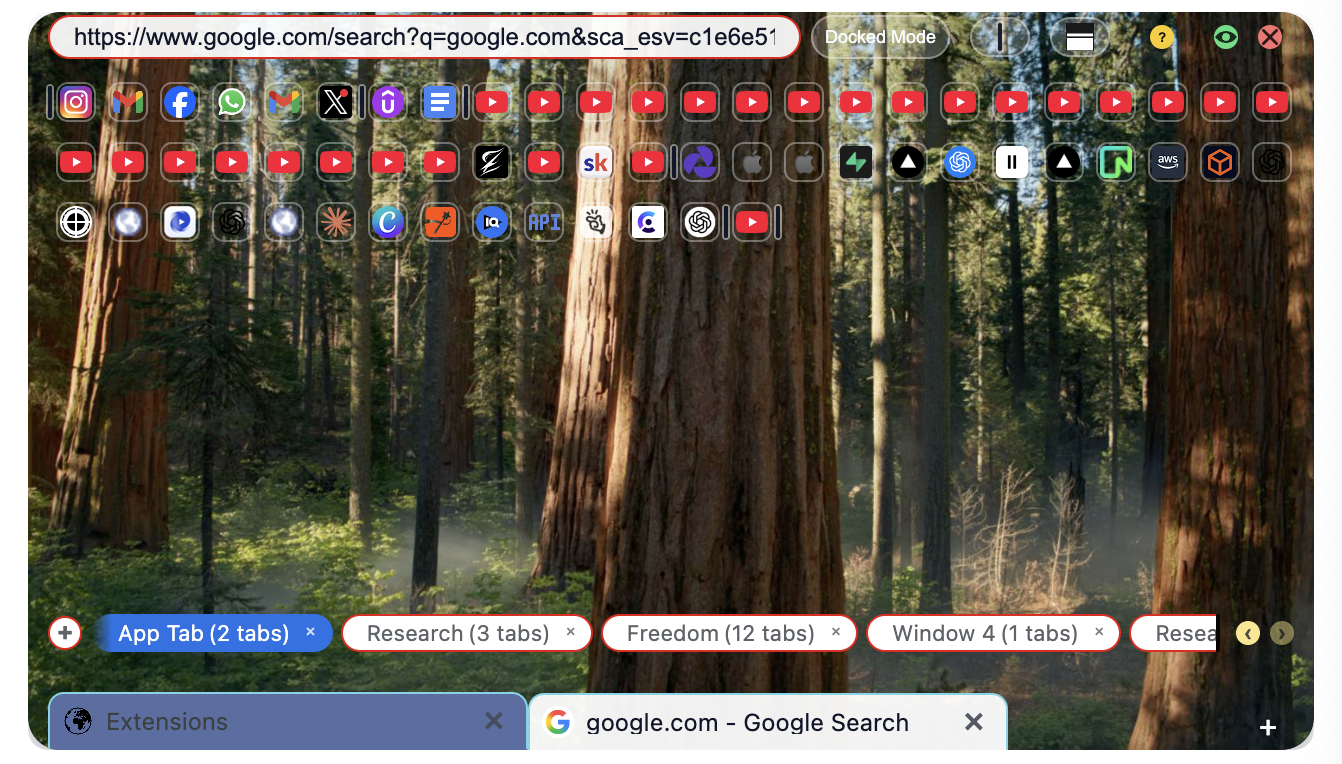
A beautiful floating overlay that sees all your windows, parks inactive tabs, and has AI that actually knows YOU.
See Everything
All your windows, one glance. Never hunt for tabs again.
"I'm in control"
Save Your RAM
Auto-park inactive tabs. Recover 4-8GB quickly.
"My laptop breathes"
Ask Anything
AI that knows YOUR context. No ChatGPT tab switching.
"I never break flow"
Manage 100+ Tabs Without Breaking a Sweat
See all your windows and tabs in one organized view. Label your windows by project, drag tabs between windows with ease, and maximize tracking of what's where.
- All windows visible at once — no more dropdown menus
- Custom labels for each window (not generic "Window 1")
- Drag & drop tabs between windows in one fluid motion

Park Tabs, Free RAM, Maximize Progress
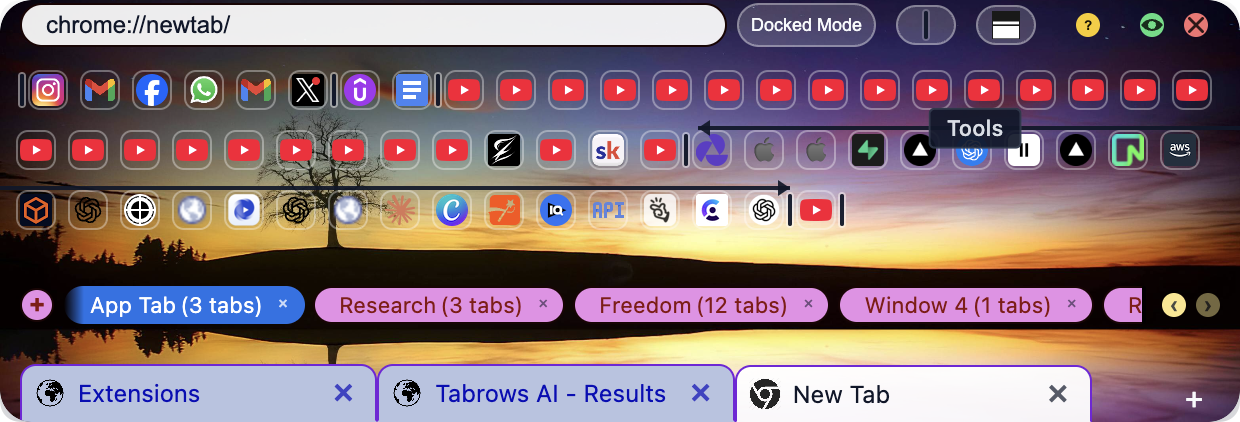
The Apps Section is your tab parking lot. Tabs you need later but not right now? Park them. They close or go into placeholder mode, freeing up memory. When you need them, they're right there — with dividers and labels for perfect organization.
- YouTube videos typically resume near where you left off
- Organize with dividers and custom labels
- Recover 4-8GB of RAM quickly
Make It Yours with Custom Themes
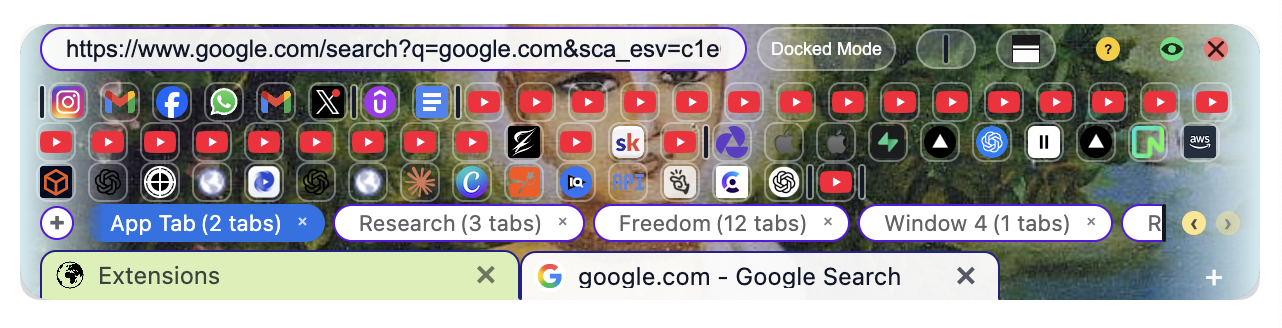
Full theme customization means your browser looks exactly how you want it. Use it to advertise your brand in streams and screenshares, or just make it beautiful.
- Custom colors, backgrounds, and effects
- Perfect for streamers and content creators
- Light and dark mode support
Clarity at a Glance
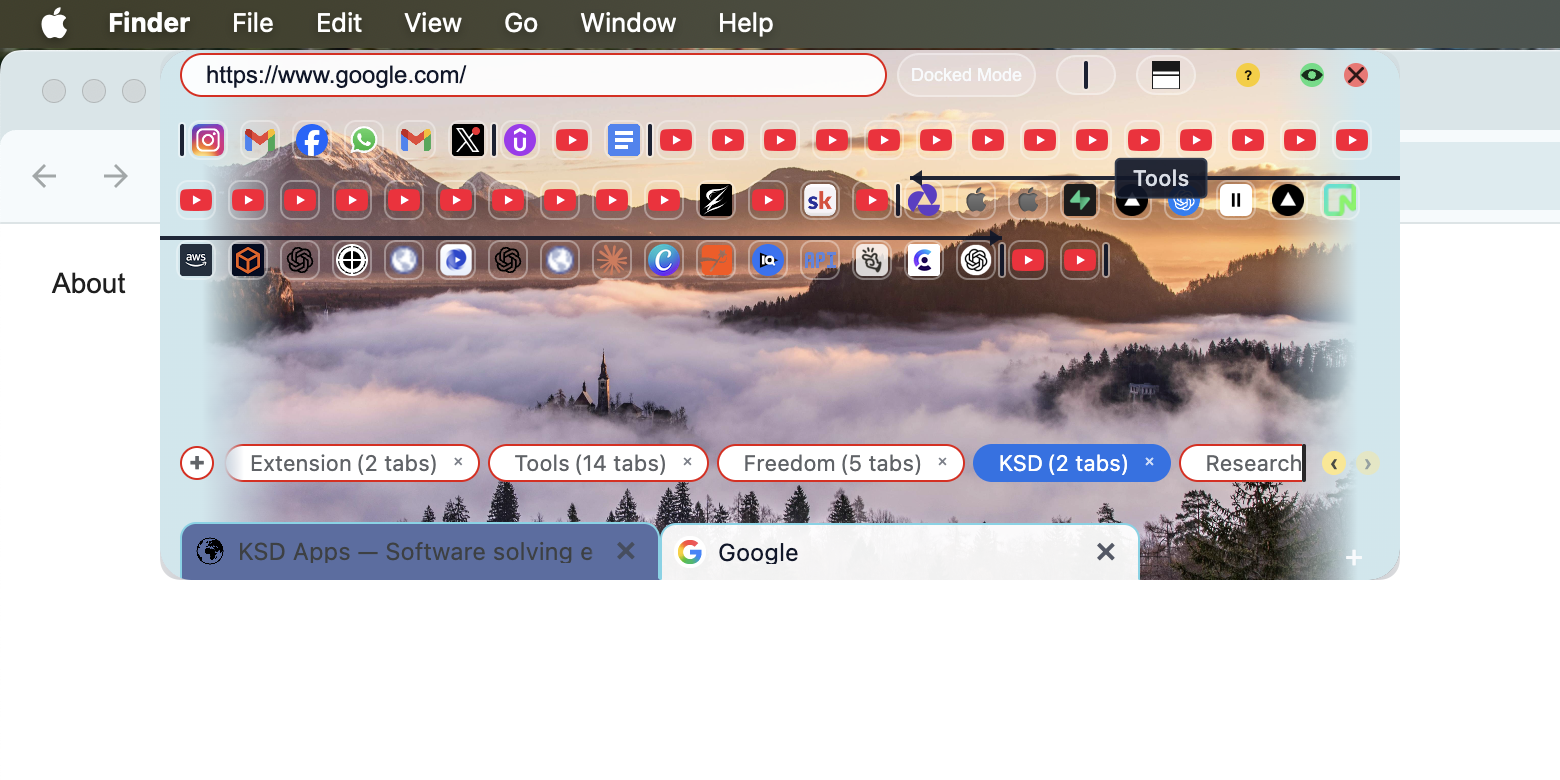
Hover over any tab to see its full title and URL. No more squinting at tiny favicons or guessing which tab is which.
- Instant hover descriptions
- See full URLs before clicking
- Find what you need in seconds
Within 5 minutes of installing...
You'll see every tab you have, organized and accessible. Your RAM usage will drop. And you'll wonder how you ever lived without it.
Choose Your Power Level
🎁 Autumn Special: Save up to 50% — August 10th to November 10th
Pro Tier — Everything You Need
See the incredible value you're getting
Save $764 total!
Less than $2/day for total tab control
🎁 Lock in this Autumn Special sale price for a full year! After 12 months, pricing returns to regular rates.
All plans include a 7-day free trial • No credit card required
Basic
Individual users
- Docked Overlay
- Manage Open Windows (unlimited)
- Tab Label Hover
- Window Custom Labels
- Full Theme Builder
- 1 Device
Flex
Freelancers
- Everything in Basic
- Flexible Overlay
- Apps (Smart Tab Parking)
- YouTube State Save
- App Sections + Hover Labels
- 1 Device
Pro
Professionals
- Everything in Flex
- Tabrows AI Access
- Advanced Drag & Drop
- Saved Contexts (unlimited)
- Tabrows AI Layout Customization
- 2 Devices
Premium
Teams & Agencies
- Everything in Pro
- More than 5x the AI Usage
- Priority Support
- Early Access Features
- Seriously Consider App Improvement Suggestions
- 3 Devices
🎁 Lock in this Autumn Special sale price for a full year! After 12 months, pricing returns to regular rates.
Join 10,000+ Browser Power Users
See what people are saying about Tabrows
"I went from 80+ tabs across 6 windows to everything visible in one place. I was the person everyone joked about for having too many tabs. Now I actually know where everything is. My MacBook stopped overheating. Tabrows literally saved me from buying a new laptop."
Sarah K.
UX Designer
"The AI feature alone is worth 10x the price. I used to have ChatGPT, Google, and my work tabs all fighting for attention. Now I just hit Cmd+Shift+K and ask my question. Tabrows knows I'm a developer, so it gives me code, not fluff."
Marcus T.
Software Developer
"Finally, a tab manager that doesn't suck. I've tried OneTab, Workona, and like 5 others. They all felt like band-aids. Tabrows is the only one that actually changed how I use Chrome."
Jennifer L.
Content Manager
Frequently Asked Questions
Does Tabrows slow down my browser?
The opposite. Tabrows helps you CLOSE tabs you don't need, freeing up RAM. The overlay uses minimal resources and runs as a separate native app.
Is my data safe?
Your data never leaves your device. Tab info stays in your browser, context stays local, and we never see your browsing history. Even AI queries only send what you explicitly type.
How is Tabrows different from OneTab?
OneTab collapses tabs into a list you'll never open again. Tabrows keeps them ALIVE and VISIBLE in a floating overlay, so you actually use them. Plus: AI, themes, parking, and window management.
Does it work with Firefox/Safari/Edge?
Currently Chrome, Edge, and Brave are supported.
Is there a free version?
Yes! You can try Tabrows free. Paid tiers start at $30/mo (Basic) and go up to $200/mo (Premium) with more features and AI queries. Annual billing saves you 2 months.
Can I switch tiers later?
Absolutely. Upgrade or downgrade anytime. We'll prorate the difference.
Start Your Transformation
Within 5 minutes, you'll see every tab organized, your RAM freed, and wonder how you ever lived without it.
🎁 Autumn Special: Save up to 50% — August 10th to November 10th • Start free • Works with Chrome • macOS & Windows • Cancel anytime